NSD Dashboard
The NSD Dashboard offers a quick overview of some commonly requested data for a school including free, reduced lunch status, IEP, and ELL student counts. Since the dashboard is meant to be an overview for a specific school you will need to have a school selected - not District Office.
To access the dashboard click the menu item from the start page (remember, clicking the 'PowerSchool SIS' logo will take you back to the start page):
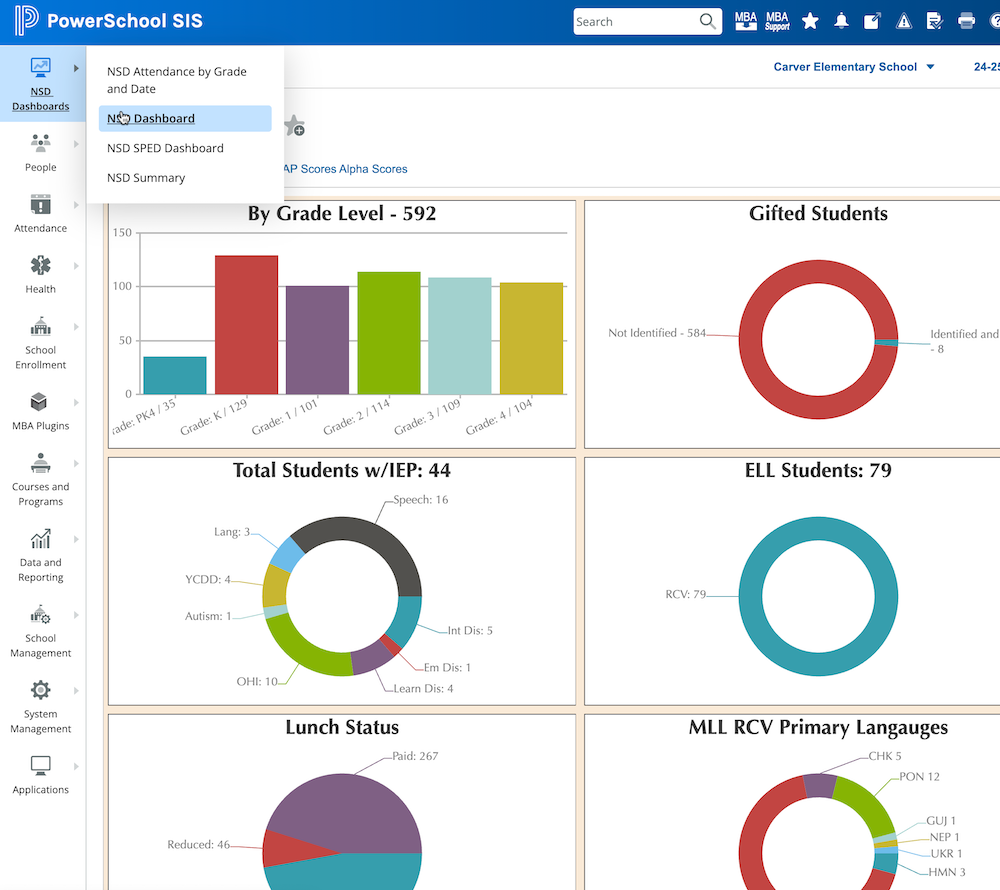
Much of the information is presented in a way that's self-explanatory, but here are some notes on the various sections.
Absent Today
This section will show you the students who are absent today along with their reason as well as their year to date attendance. Students hilighted in red have less than 90% attendance YTD. Clicking a student's name will take you to their attendance page for more details.
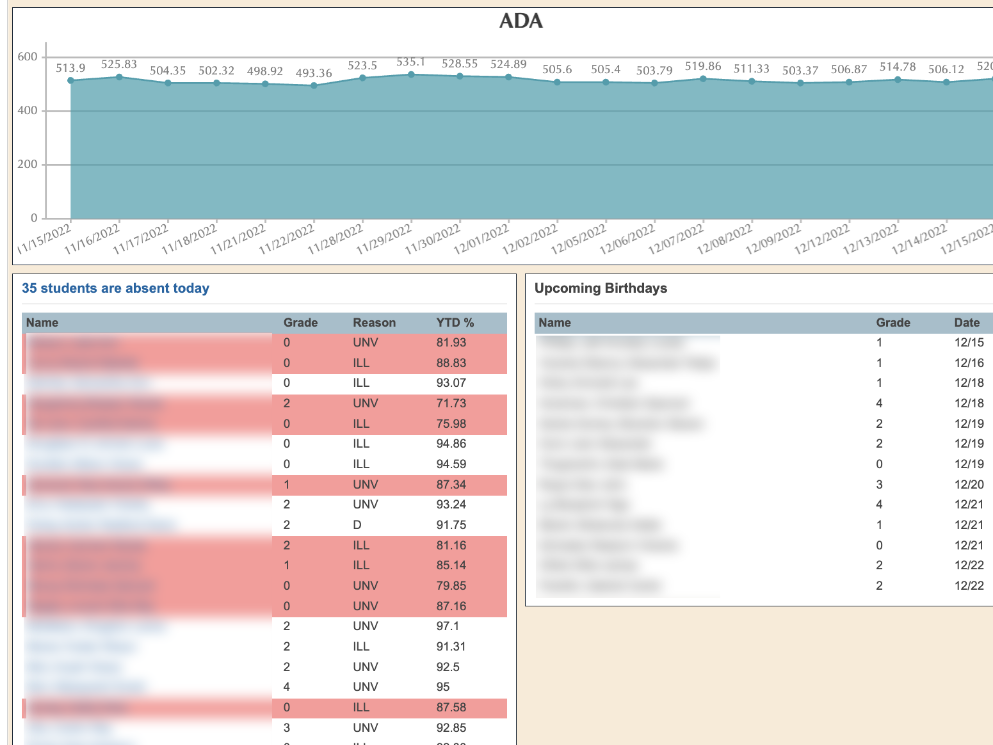
Clicking the header above the list of students who are absent today ('35 students are absent today' in the screenshot above) will take you to the daily attendance summary page.
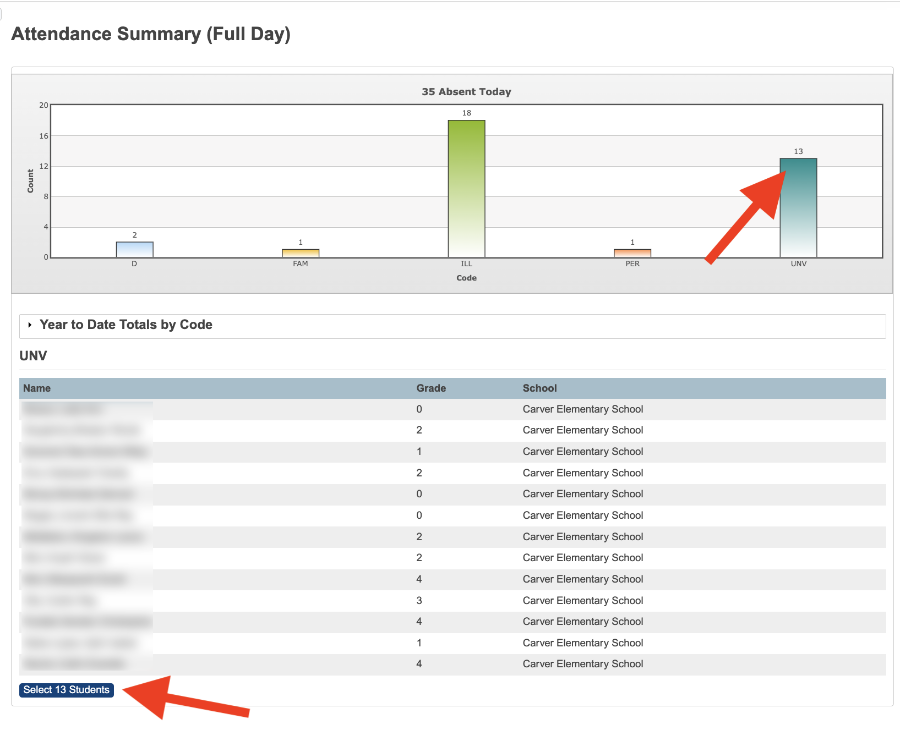
On this page you can click one of the bar chart items to view the students absent today with that code, in this screenshot clicking the 'UNV' chart item will bring up the students marked UNVerified today. If you wanted to make this group of students a selection to work with you can click the button below the list of names.
Homeroom Attendance (PK-6th Grade)
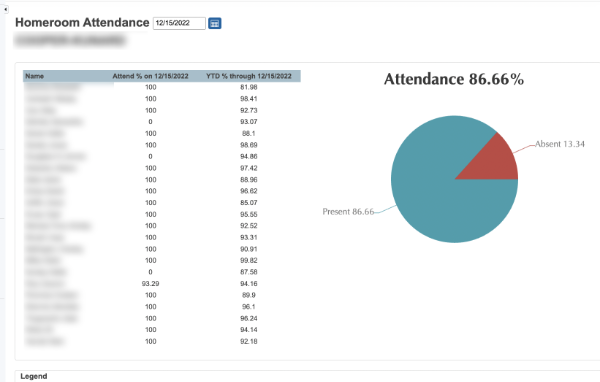
At the bottom of the dashboard is the attendance by homeroom teacher, you can also click an item in this chart for more details.
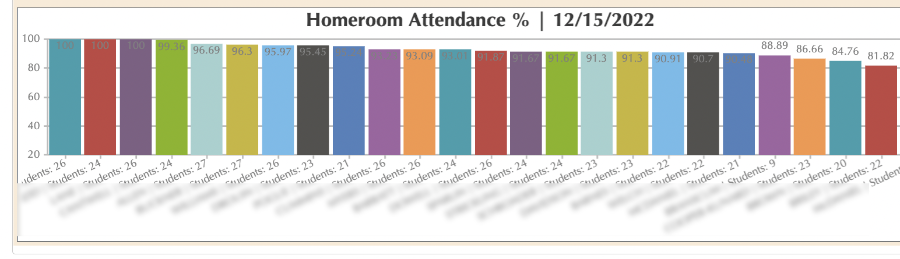
Clicking an item will bring up the detail for a specific homeroom and date, you can change the date to view previous days for this homeroom.